Every code you give out is a question you’ll eventually stop asking. The contractor who finished the job six months ago. The housekeeper who moved on. The family member who no longer visits. Standard gate locks don’t tell you who used them, when, or whether you should change the code.
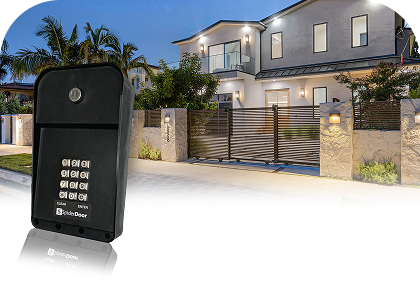
A driveway gate keypad gives you something a traditional lock doesn’t: the ability to control access on your terms, see who’s coming and going, and adjust permissions without touching the hardware.
What a Gate Keypad Actually Controls
A keypad replaces keys and remote clickers with individual codes and a mobile app to manage access from anywhere. Each person who needs access gets their own code. When that relationship ends, you delete it. No rekeying, no retrieving hardware, no wondering whether a copy still exists.
The mobile app adds a second layer of control. If a delivery arrives while you’re out, you can open the gate from your phone. If a guest arrives early, you let them in without driving back. The gate operates on your schedule, not theirs.
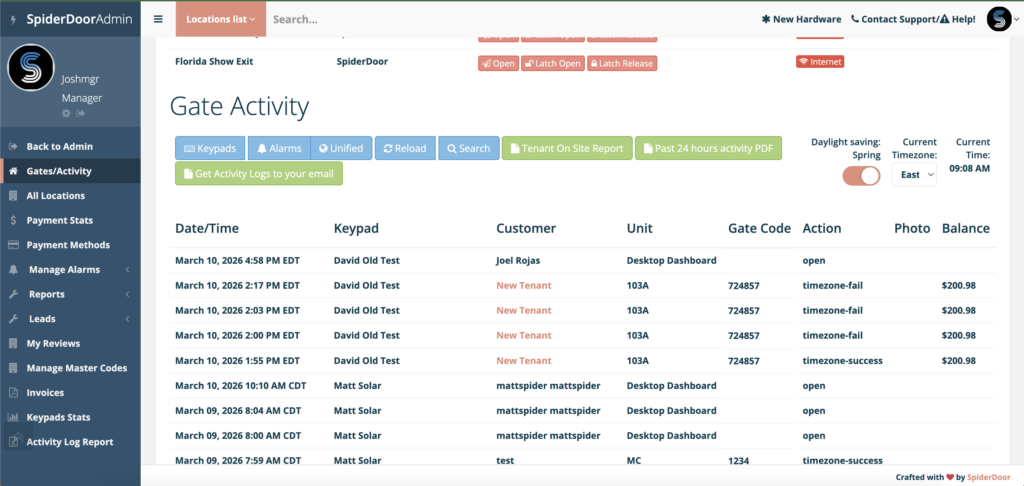
The activity log is where better systems separate from basic gate hardware. Every entry is recorded: which code was used, at what time, on what date. If you’re managing a vacation property or estate with rotating staff, you have a record of who came and went without relying on anyone to report back.
Cellular vs. Hardwired: What the Connection Type Means for You
A residential gate keypad needs to communicate with your phone, the web portal where access codes are managed, and your gate motor. That happens over either a cellular connection or a hardwired internet line.
Hardwired keypads connect through your property’s existing network infrastructure. They’re reliable when your connection is stable. The trade-off is installation: running conduit from a gate to a network connection on a large property can require trenching, which runs $10 to $25 per linear foot depending on terrain and what’s already in the ground.
Cellular keypads skip that entirely. They use the same network as your phone and don’t depend on your home internet being active. For properties where the gate sits far from the main structure, cellular is the practical choice. It also means the system keeps working during internet outages, as long as the cellular network is up.w
If your gate is close to the house and a stable connection is already nearby, hardwired works fine. If there’s any distance or uncertainty involved, cellular is the cleaner option.
What to Look for Before You Buy
Code capacity. How many unique access codes can the system hold? If each person (staff, contractors, family, regular vendors) has their own code, you can revoke one without resetting access for everyone else. Look for enough codes to manage individually, not codes you’ll end up sharing.
Remote access that works independently of your home network. Most keypads that offer app control route that connection through your home internet. If the router goes down or you’re at a different property, the remote access goes with it. A system built on cellular stays operational regardless of what’s happening with your router. For a gate on a property you’re not always present at, that distinction matters more than most buyers realize before they need it.
Activity logging. Not every keypad keeps records. If accountability matters, and on a high-value property it should, confirm the system timestamps every entry and gives you a log you can review on demand.
Compatibility with your existing gate motor. Most residential keypads work with standard gate motors from the major manufacturers. Verify before purchasing. If you already have a functioning gate and motor, you likely won’t need to replace anything beyond the keypad itself.
How SpiderDoor’s Residential System Works
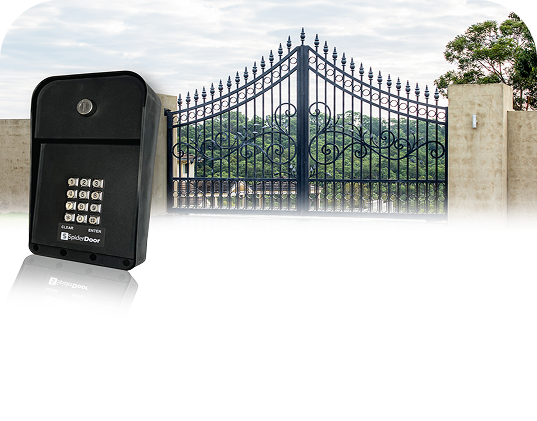
SpiderDoor’s residential system runs on a dedicated cellular connection, with no dependency on your home Wi-Fi and no router required. It supports up to five individual access codes and includes a mobile app that lets you open the gate, grant access to a visitor, or check who’s entered, from anywhere with a cell signal.
Every entry is logged with a timestamp. If you’ve given a service provider a temporary code and want to verify they showed up and left within the expected window, that record is in the app. You’re not relying on a callback or a text to confirm.
The system works with any standard gate motor or magnetic door lock. Installation follows a straightforward 7-wire connection process. There’s no separate server, no software to manage from a desktop, and nothing that breaks when your internet does.
Installation: What to Expect
The SpiderDoor residential system connects to your existing gate motor through a 7-wire installation. If you already have a gate with an operating motor, you likely don’t need to replace it. The keypad connects through the motor’s relay, the same contact point your existing gate controls use to trigger open and close.
Most buyers use their current gate company or hire a local gate installer. No specific certification is required, and the 7-wire connection is straightforward enough that any technician familiar with gate motors can handle it. On-site time typically runs one to two hours.
SpiderDoor activates your system before it ships, so the hardware arrives ready to connect. Once the technician completes the wiring, the system is live. Setup from that point is handled through SpiderDoor’s web portal, with installation videos available and US-based phone support Monday through Friday if anything needs clarification.
Ready to take control of who enters your property? See the SpiderDoor Residential System